


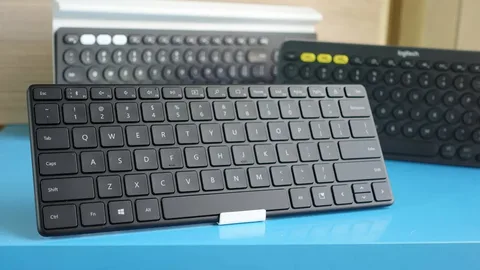
Mechanical keyboards have become increasingly popular among gamers, programmers, and typing enthusiasts. For those who value efficiency without sacrificing performance, compact mechanical keyboards are an excellent choice. This article will serve as The Ultimate Buyer’s Guide to compact keyboard, helping you navigate the features, benefits, and considerations before making your purchase.
Why Choose a Compact Mechanical Keyboard?
Compact mechanical keyboards, often referred to as 60%, 65%, or 75% keyboards, are designed to save desk space while maintaining a satisfying typing experience. Unlike full-sized keyboards, they remove unnecessary keys such as the number pad or function row, allowing for a minimalist setup.
Benefits of compact mechanical keyboards include:
- Portability: Easier to carry and ideal for mobile setups.
- Ergonomics: Shorter hand movement reduces strain during long typing sessions.
- Aesthetic appeal: Clean and minimalistic design fits modern workspaces.
Key Features to Look For
When selecting a compact mechanical keyboard, several factors should be considered:
1. Switch Type
Mechanical switches define the keyboard’s feel and sound. Common options include:
- Linear: Smooth and quiet keystrokes, preferred by gamers.
- Tactile: Provides a noticeable bump with each keypress, ideal for typing.
- Clicky: Produces an audible click with every press, perfect for feedback lovers.
2. Build Quality
A sturdy frame and quality keycaps ensure durability. Look for keyboards with aluminum or reinforced plastic bodies for long-lasting use.
3. Connectivity
Some compact keyboards offer wired connections, while others support wireless or Bluetooth modes. Wireless options provide flexibility but may require occasional charging.
4. Programmability and Layout
Advanced compact keyboards allow customization of keys and macros. Consider your workflow and whether you need programmable keys for gaming or productivity.
Popular Sizes and Layouts
Compact mechanical keyboards come in different layouts:
- 60% Keyboard: Removes function keys, navigation cluster, and number pad. Highly portable.
- 65% Keyboard: Adds arrow keys and a few navigation keys for better usability.
- 75% Keyboard: Maintains most functionality of a full-size keyboard but in a smaller footprint.
Understanding these layouts helps in choosing a keyboard that balances size and functionality according to your needs.
Conclusion
If you are searching for a high-quality, efficient, and stylish typing experience, a compact mechanical keyboard is a perfect choice. By focusing on switch type, build quality, connectivity, and layout, you can make an informed decision. This article serves as The Ultimate Buyer’s Guide to Compact Mechanical Keyboards, ensuring that your next keyboard is both functional and enjoyable.
